PAHADIFY
FAST & SECURE IMAGE UTILITY
Image Resizer
Instantly resize images to any dimension. Fast processing with zero quality loss completely free to use.
YT Thumbnail Analyzer
Get a "Viral Score" before you upload. AI analyzes face size, contrast, vibrancy, and YouTube safe-zones.
PDF Splitter
Extract specific pages from large PDFs. Perfect for pulling important documents from long notifications.
PDF Locker & Unlocker
Permanently remove passwords or add passwords in PDFs securely. Never compromise with your documents.
QR Generator
Instantly create scannable QR codes for your links, portfolios, or payment setups. 100% secure tool.
Quote Generator
Stay focused. Overlay daily motivational quotes or your personal goals onto beautiful gradients or your own photos.
Photo Restorer
Instantly restore faded colors, fix lighting, and sharpen old or blurry photos in just few seconds for completely free.
Live Photo Trainer
SSC/JEE Exam Simulator. Verify your lighting, glare, and stability against official exam standards for free.
Face Hider
Instantly detect and hide faces in photos using AI. Apply blur, black box, pixels, or emojis with zero privacy risk.
SVG Converter
Instantly convert any JPG or PNG into a universally valid SVG file, convert in seconds without any problem.
OCR Master
Instantly extract editable text from photos, notes, or scanned documents easily and securely in just one click.
Cover Maker
Instantly generate professional A4 cover pages for school and college projects in 10 seconds without any efforts.
Collage Maker
Combine multiple photos into one beautiful layout. Choose from different grids and styles effortlessly and for free.
Crop Master
Precision Cropping Tool. Crop images to exact aspect ratios or custom focus areas easily without any problem.
Profile Pic Maker
Stand out online. Create perfectly rounded, professional profile pictures with custom borders of your choice.
Image Hider
Hide private photos inside normal pictures. Password-protected images with zero privacy doubts & hesitation.
Privacy Sweeper
Remove hidden GPS and camera data. Strip EXIF metadata from your photos before sharing them online.
Screenshot Master
Showcase-ready captures. Add sleek device frames, shadows, and backgrounds to your screenshots.
Privacy Maker
Secure your data. Redact sensitive information from documents and IDs effortlessly and instantly for free.
Signature Cleaner
Make signatures print-ready. Convert gray scans into sharp black ink on a pure white background.
ID Card Joiner
One-page documentation. Seamlessly merge front and back ID scans into a single file easily and instantly .
PDF Converter & Merger
Complete PDF solution. Convert images to PDF or merge multiple files into one organized document instantly.
Image Converter
Universal compatibility. Convert images between JPG, PNG, and WEBP without losing quality of any image.
Image Compressor
Optimize file sizes. Reduce image weight significantly while preserving visual clarity for images.
KB Booster
Increase file size. Make your images to meet strict minimum KB requirements without changing dimensions.
Social Media Resizer
One click, all platforms. Instantly crop and resize your image for Instagram, Twitter, Facebook, YouTube and more.
Studio Image
Instant photo enhancement. Auto-correct brightness, contrast, and color for studio-quality results for free.
Batch Master
Bulk processing powerhouse. Resize and compress 50+ images simultaneously in seconds with no efforts.
Color Extractor
Design made easy. Upload any photo or screenshot to instantly extract its exact color palette with HEX codes.
Image Renamer
Quickly rename your image files before sharing or uploading. Fast, local, and retains 100% original quality.
Watermark Stamper
Protect your documents. Add custom text, logos, or 'Confidential' stamps to any image for free and easily.
Date on Photo
Exam compliance made easy. Auto-generate name and date strips for SSC and Railway forms instantly and easily.
Passport Sheet
Print-ready passport photos. Create a standard A4 sheet with perfectly sized copies for print instantly.
No tools found matching your search.
Try searching for "PDF", "Resize", or "Signature".
Loved by Everyone.
Join thousands of users who process their images locally, securely, and instantly on Pahadify.
What our users Say
Real experiences from the Pahadify community.
PAHADIFY REVIEW SECTION
Read what others are saying and leave your own feedback!
Write Your Review
Pahadify for Every Digital Workflow
Whether you are filling out strict government forms or just editing images, Pahadify adapts to your exact needs.
For Students & Aspirants
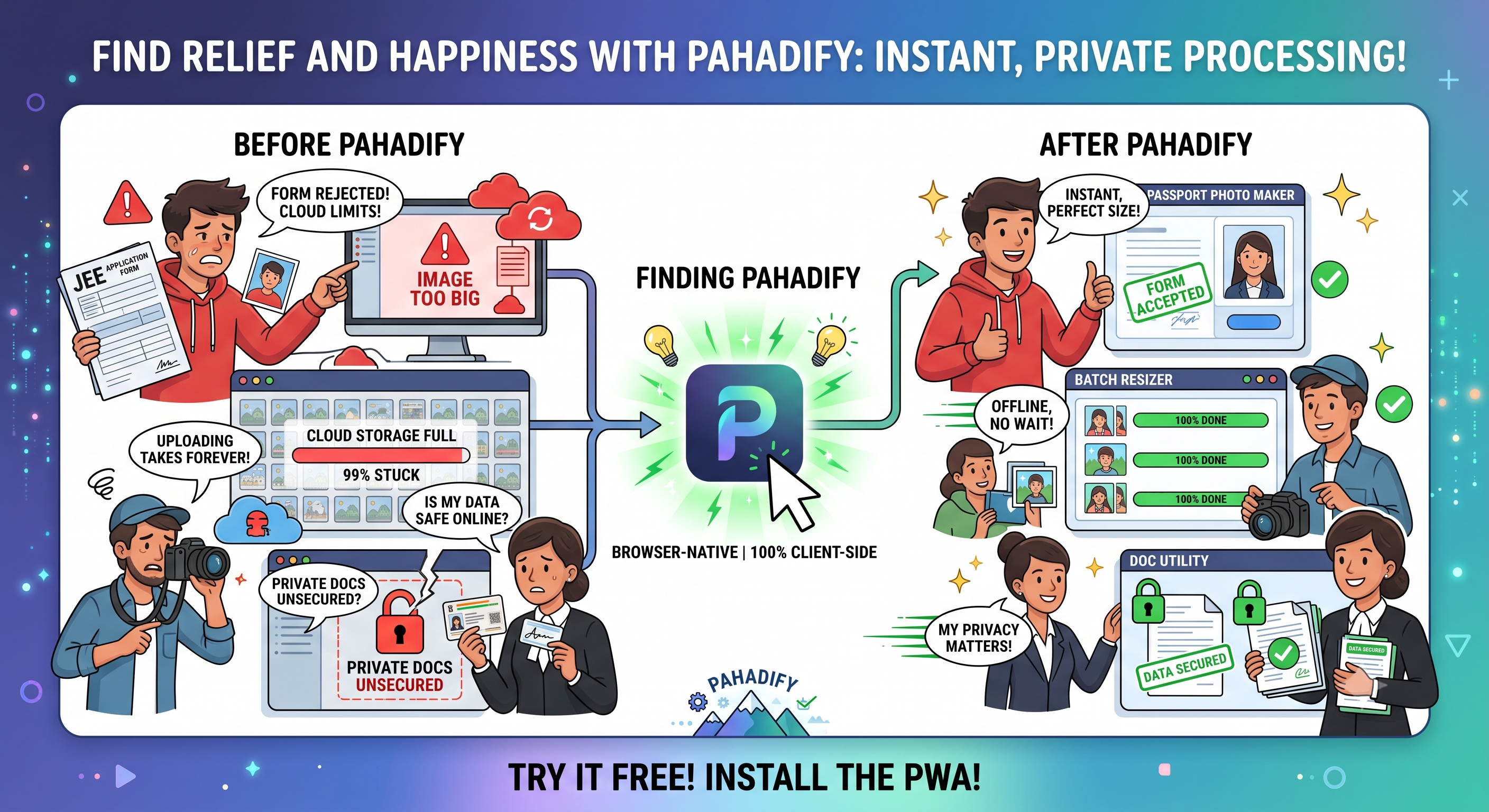
Never get a form rejected again. Perfect for SSC, UPSC, and JEE applications. Generate exact 3.5x4.5cm photos, strict 50KB limits, and auto-apply "Date of Photo" stamps instantly.
For Photographers & Studios
Skip the heavy desktop software. Batch resize 50+ images at once, generate A4 passport print matrices, and restore faded photos right from your browser.
For Legal & Admin Work
Handle sensitive data without fear. Merge Aadhaar and PAN cards, clean digital signatures, and redact private document details entirely offline.
Pahadify vs. The Competition: Why Pahadify Wins
When choosing an online image utility, most users default to legacy platforms like TinyPNG, ImResizer, or iLoveIMG. However, standard web apps run on outdated cloud-upload infrastructure. Every time you optimize a file, your private photos travel over external networks to land on a third-party server. Pahadify completely replaces cloud dependencies with native execution.
Privacy Shield Warning: Uploading sensitive credentials like Aadhaar cards, PAN cards, or private signatures to remote cloud platforms creates permanent storage trails. Pahadify acts as a localized sandbox application running entirely inside your machine's physical hardware memory.
| Feature Dynamic | Pahadify | TinyPNG | ImResizer / iLoveIMG |
|---|---|---|---|
| Data Privacy Pipeline | 100% Client-Side (0 Server Storage) | Cloud Upload (Files stored on external servers) | Remote Processing (Data travels across external hosts) |
| Exact KB Compression | Smart Precision Target (e.g., 20KB, 50KB) | Random reduction percentages only | Approximated slider matrices |
| Dimension Units Available | px, cm, mm, inch (At 300 DPI) | No dimensions (Compression only) | Standard pixel counts only |
| Usage Limits & Subscriptions | 100% Free Forever (Unlimited Files) | Paid subscription tier for bulk uploads | Heavy advertisement placement or premium payroll restrictions |
| Offline Capabilities | True PWA (Works without Internet Connection) | Fails completely offline | Fails completely offline |
Detailed Breakdown: Breaking Free from Cloud Architecture Boundaries
Pahadify vs. TinyPNG: While TinyPNG uses excellent quantizing methods to map colors and drop file weight, it targets generic percentage cuts. If you need a passport photo to be under exactly 20KB for a government or educational application form, TinyPNG won't let you set that explicit constraint. Our tool loops your files inside a smart processing system right in your browser, hitting your targeted limit on the spot while preserving facial clarity.
Pahadify vs. ImResizer & iLoveIMG: ImResizer and traditional converters ask you to select target sizes, but process them using remote server scripts. This path adds immense network lag and limits your upload speed based on your current data plan. Pahadify handles your calculations directly on your local system processors. Our platform functions flawlessly at blazing speeds even on slow 3G connections or completely offline in remote mountainous areas.
Pahadify Image Processing
Traditional image converters upload your confidential forms, ID proofs, and private photographs to remote cloud data centers. This process consumes excessive network bandwidth, exposes sensitive data to intercept leaks, and introduces remote pipeline latency. Pahadify completely revolutionizes this paradigm by executing zero-server sandboxed applications directly within your web browser's V8 or JavaScriptCore runtime engine.
1. Memory Buffer Allocation
When you input an image, the browser allocates a sandboxed byte segment via the File and Blob web APIs. The resource is parsed into a temporary localized spatial reference matrix with no network handshakes.
2. Native Hardware Acceleration
Pahadify connects to your device's physical graphics card via your browser’s high-performance 2D Context engine. Pixel calculations are offloaded directly to your local hardware processors.
3. Synchronous Inline Compilation
When clicking save, raw binary arrays compile instantly using modern sub-routines (like asm.js, WASM engines, and native encoding parameters) to generate optimized clean downloads directly onto your machine.
Deep Technical Explanations of Pahadify
We believe true technical authority is built on transparent performance. Here is how our primary engine arrays handle data mapping without losing visual fidelity:
Standard compressors forcefully downgrade the image matrix resolution uniformly, destroying clarity. Pahadify's Smart Iterative Algorithm performs matrix math checks inside a binary search loop. It tests output structural profiles across multiple compression steps, stabilizing quality right at your targeted file limit (e.g., 20KB or 50KB) while protecting essential structural details like signatures and text boundaries.
When converting dimensions from centimeters ($cm$) or millimeters ($mm$) to exact digital pixels ($px$), our calculator locks onto standard high-density resolutions ($300\text{ DPI}$). The scaling array uses a high-quality cubic interpolation technique that averages the color vectors of adjacent pixels, avoiding jagged edges and pixelation artifacts on your application forms.
Our Secret Image Hider protects your assets directly within the client space. Using Web Crypto primitives, your password undergoes specialized key stretching ($100,000\text{ iterations}$ via PBKDF2). This derives a secure key used by the military-grade AES-GCM-256 algorithm. The encrypted payload is safely embedded into the least significant bits (LSB) of your container picture's color vectors, leaving zero visible trace for unauthorized viewers.
WHO I AM?
NIKHIL KUMAR just an ordinary boy with extraordinary vision who dared to bring world-class technology to the remote mountains of Himachal Pradesh. Welcome to Pahadify, a platform born out of necessity, struggle, and an undying spirit to serve the student community of India.
The Village Struggle & The Spark
Growing up in a small village in Himachal, access to basic digital services was a luxury. I remember walking kilometers just to reach a cyber cafe to fill out an examination form. But the real pain was seeing my fellow students being charged exorbitant amounts—₹50, ₹100, sometimes even more—just to resize a photograph or convert an image to PDF. That was the spark.
I realized that technology shouldn't be a barrier to education; it should be an enabler. Why should a student in a remote village be at a disadvantage compared to a student in a metro city?
Pahadify: Made in Mountains, For the World
Pahadify is the answer to these questions. It is not just a collection of tools; it is a philosophy of "Atmanirbhar" (Self-Reliant) Digital India. Built entirely on Client-Side Architecture, Pahadify ensures that your data NEVER leaves your device.
Frequently Asked Questions
Image Compression & Size
How to compress JPEG to 20kb or 50kb for online forms?
Use the Pahadify Image Compressor tool. Simply upload your photo, enter "20" or "50" in the target size box, and our algorithm will iteratively reduce the file size while keeping the text and face visible. Perfect for SSC, UPSC, and IBPS uploads.
How to reduce image size in KB without losing quality?
Pahadify uses a smart client-side compression engine. Unlike generic tools that blur images, we optimize the metadata and compression matrix to lower the KB count while maintaining visual sharpness, ensuring your application doesn't get rejected due to blurriness.
Can I compress multiple images at once (Batch Processing)?
Yes! Use our Batch Master tool to upload 50+ images at once. You can resize them all to a specific width (e.g., 1000px) and compress them to a quality level (e.g., 80%) in a single click. Ideal for photographers and cyber cafes.
Why is my image file size still large after resizing?
Resizing changes dimensions (pixels), but not always file density. After resizing, run your image through the "Exact Smart Compressor" to strip unnecessary metadata and reach your target file size (e.g., under 100kb).
What is the best free image resizer and compressor online?
Pahadify is widely considered one of the best free image resizers because it offers premium features like iterative KB compression, custom dimension resizing (pixels, cm, mm), and batch processing with zero cost, no watermarks, and no annoying pop-up ads.
How can I bulk resize and compress multiple images at once?
Use our Batch Master tool. It acts as a powerful bulk image resizer, allowing you to select 50+ photos, set a maximum width/height, choose the quality, and process them all instantly into a single downloadable ZIP file.
Dimensions & Govt. Forms
How to resize photo to 3.5 cm x 4.5 cm for SSC/UPSC?
Go to the Pro Custom Resizer, select "CM" from the unit dropdown, and enter Width: 3.5 and Height: 4.5. Pahadify automatically calculates the correct DPI (300 DPI recommended) for high-quality printing and form uploads.
How to add Date of Photo (DOP) and Name on a picture?
Use the Date on Photo (DOP) tool. Upload your image, type your Name and select the Date. The tool automatically adds a clean white strip with black text at the bottom, strictly following SSC and Railways guidelines.
How to check if my photo will be accepted in Live Capture?
Use our unique Live Photo Trainer. It simulates the official SSC/JEE exam webcam environment, checking for lighting issues, face centering, and glare in real-time before you sit for the actual application.
Can I convert pixels to mm or inches?
Yes. Our tool supports real-time conversion between Pixels (px), Centimeters (cm), Millimeters (mm), and Inches (in). You can also manually set the DPI (72 to 600) for print-ready resolution.
How do I resize an image online in pixels, cm, mm, or inches?
Our Pro Custom Resizer handles exact dimension conversions. Simply upload your photo, type your required width and height, and select your preferred unit (px, cm, mm, inch). It automatically calculates the best DPI for high-quality results.
How do I crop a picture into a perfect circle?
To make a round image, use the Profile Pic Maker. Upload any square or rectangular photo, and the tool will automatically apply a circle crop. You can also add custom colored borders before downloading it as a transparent PNG.
Signature & Documents
How to remove background from scanned signature?
The Signature Cleaner tool converts your blue/black ink scan into a pure binary (Black & White) image. It removes paper texture, shadows, and grey areas, leaving a sharp signature perfect for transparent or white backgrounds.
How to combine Front and Back of Aadhaar Card on one page?
Use the ID Card Joiner. Upload the Front image and the Back image. The tool stitches them vertically or closely together into a single A4-printable JPEG, saving you printing costs at cyber cafes.
How to create a Passport Size Photo Sheet (A4)?
Don't pay ₹100 for 8 photos. Use the Passport Sheet tool. Upload your single photo, and we generate a printable A4 matrix containing 30 to 42 copies. Download it and print it on photo paper for just ₹10.
How to convert JPG to PDF for free?
Our PDF Converter lets you select multiple JPG/PNG images and compiles them into a single, lightweight PDF document. You can also merge multiple existing PDF files into one.
Privacy & Technology
Is Pahadify safe for uploading Aadhaar/PAN cards?
100% Safe. Pahadify runs on Client-Side Architecture. This means the code runs inside *your* browser (Chrome/Edge). Your photos and documents NEVER travel to our servers.
How to hide private details on an ID card image?
Use the Privacy Redactor tool. It allows you to draw solid black boxes over sensitive information (like Aadhaar numbers or addresses) before sharing the image on WhatsApp or Email.
Is this tool free forever?
Yes. Pahadify was built to break the barrier of paid technology for students. All tools—including the Pro Resizer, Studio Enhancer, and Batch Processor—are free to use.
Is it safe to edit and compress private personal photos online?
Standard websites are not safe because they upload your images to cloud servers. However, Pahadify is 100% safe. It utilizes modern Client-Side Architecture, meaning the image resizer and compressor scripts run entirely inside your own web browser. Your private photos never touch our servers.
Do I need to download an app to use this image resizer?
No installation is strictly required. Pahadify works directly in Chrome, Safari, and Edge. However, because it is a Progressive Web App (PWA), you can choose to "Add to Home Screen" on your mobile device to use all the tools seamlessly offline.
Troubleshooting
What is the difference between JPG, PNG, and WEBP?
JPG: Best for photos and forms (small size). PNG: Best for graphics and text (high quality, transparent background). WEBP: Modern web format (smallest size). Use our Universal Converter to switch between them.
Why is my signature background not transparent?
You might be saving it as a JPG. JPGs do not support transparency and will always add a white box. Use our Signature Cleaner and save the output as PNG to keep the background transparent.
Can I watermark my documents?
Yes, use the Watermark Stamper. You can add text like "CONFIDENTIAL" or "FOR VERIFICATION ONLY" over your documents in various styles and opacities to prevent misuse.
How can I increase my image size to meet a minimum KB limit?
Use the KB Booster tool. It safely adds invisible data padding to your file to inflate the KB size (e.g., pushing it safely above 50KB) without changing the image dimensions or distorting the photo.
How do I resize or crop an image for Instagram, Twitter, or YouTube?
Use the Social Media Resizer. Upload your photo, select the specific platform (like IG Square or YouTube Banner), and choose whether to Auto-Crop or Add Borders to fit perfectly without cutting off heads.
How can I remove GPS and location tracking from my photos?
Use the Privacy Sweeper. It scans your image for hidden EXIF metadata (like exact GPS coordinates, camera model, and dates) and permanently strips it away before you share it online.
Can I password-protect or hide a photo inside another photo?
Yes, use the Secret Image Hider. It uses AES-256 encryption to invisibly embed your private photo inside a normal cover image. You can only unlock it using the exact password on the "Reveal Image" tab.
How do I find the exact HEX color code from a picture or logo?
Use the Color Extractor tool. Upload your image, and Pahadify will instantly analyze the pixels to give you a clickable, copy-paste palette of the 5 most dominant colors.
How can I rename multiple image files at once?
Use the Bulk Image Renamer. Upload all your photos, type a single base name (like "My_Exam_Docs"), and Pahadify will automatically number them (e.g., My_Exam_Docs_1.jpg) and securely package them into a single ZIP file.
How can I remove GPS and location tracking from my photos?
Use the Privacy Sweeper. It scans your image for hidden EXIF metadata (like exact GPS coordinates, camera models, and capture dates) and permanently strips it away so you can share your photos safely.
How do I convert HEIC to JPG or WEBP to PNG?
Use our Universal Image Converter. It automatically handles Apple's HEIC format and allows you to seamlessly convert any image into standard JPEG, transparent PNG, or modern web-optimized WEBP formats with a custom quality slider.
100% Client-Side Privacy
Unlike other websites that upload your Aadhaar card and photos to a cloud server, Pahadify processes everything inside your browser.
Precision Compression
Most compressors ruin quality. Our Smart Iterative Algorithm reduces file size byte-by-byte until it hits your exact target.
Live Photo Simulator
With SSC CGL and JEE introducing "Live Capture," our Trainer uses your webcam to analyze your environment in real-time.
All In One Platform
Resize, compress, convert, and protect. All the tools you need, running securely and instantly right in your browser.
PDF Tools
Select Images (JPG/PNG)
Select PDF Files
Universal Converter
Upload Any Image
Live Photo Trainer
CAMERA IS OFF
AI Studio Enhancer
Upload Selfie/Photo
Exact Smart Compressor
Click to Upload Image
Pro Custom Resizer
Upload Image
Privacy Redactor V2
Upload ID Card
Easy Edit: Tap "Add Box". Drag to move. Use corner handle to resize.
Binary Signature
Upload Signature
Date on Photo (DOP)
Upload Photo
Passport Sheet
Upload Photo
OMR Generator
50 Questions
Standard Mock
100 Questions
Full Exam
Id Card Sticher
1. Upload Front Side
2. Upload Back Side
Batch Master
Select Multiple Images
Smart Rotator
Upload Image
Watermark Stamper
Upload Document/Image
Profile Pic Maker
Upload Photo
Screenshot Master
Upload Screenshot
Crop Master
Upload Image
Secret Image Hider
Cover Image
Secret Image
Note: Output will be PNG. Do not compress or send via WhatsApp standard (send as Document) to preserve hidden data.
Upload Secured Image
Privacy Sweeper
Upload Photo
Color Extractor
Upload Image/Design
Pro Tip: Once the colors are extracted, simply click on any color card to instantly copy its HEX code to your clipboard!
KB Booster (Size Inflator)
Upload Low-KB Image
Bulk Image Renamer
Upload Image(s)
Pahadify Master Guide
Complete step-by-step workflows to master all tools securely in your browser and ensure your exam forms are never rejected.
Pro Custom Resizer
Resize images precisely to CM, MM, or Pixels with exact KB limits for SSC/UPSC portals.
- Upload: Select your raw photo from your device.
- Crop (Optional): Click "Crop Image" to cut out unwanted backgrounds and focus on your face.
- Set Dimensions: Enter your required Width and Height (e.g., 3.5 and 4.5).
- Select Unit: Choose CM, MM, Pixels, or Inches. Pahadify automatically calculates the 300 DPI print quality.
- Target Size (Crucial): If your form requires "Under 50KB", type 50 in the Target Size box.
- Download: Click "Resize & Download". The algorithm will compress and size it perfectly in one go.
Exact Smart Compressor
Reduce file weight iteratively without losing clarity. Perfect for strict upload limits.
- Set Target: Enter your exact maximum file size in KB (e.g., 20 or 50).
- Upload: Click to upload your heavy image.
- Compress: Click "Compress Now". Our smart physics engine will iteratively reduce the size until it hits your exact target while preserving text visibility.
- Verify & Save: Hold the "Compare" button to check quality, then download.
Signature Cleaner
Convert dark, grayish phone photos of your signature into pure black-and-white digital ink.
- Sign on Blank Paper: Use a black or blue pen on unlined white paper.
- Upload: Select the image in the tool.
- Adjust Threshold: Move the "Binary Threshold" slider. Slide left if the signature is fading; slide right if the background is still gray.
- Clean & Save: Click "Clean Signature", review the sharp output, and download the pure white JPG.
Live Photo Trainer
Practice for the new SSC/JEE live webcam capture rules.
- Activate Camera: Grant camera permissions (your video never leaves your device).
- Position Face: Align your face inside the center oval until the "Face" indicator turns Green.
- Check Lighting: Ensure no harsh shadows or glare. The "Light" indicator must turn Green.
- Auto-Capture: Hold steady for 3 seconds once all indicators are Green to snap the perfect, compliant photo.
Date on Photo (DOP)
Auto-generate official name and date strips required for Railway and SSC forms.
- Upload Photo: Select your passport-style photo.
- Enter Details: Type your exact Candidate Name and select the Date of Photo.
- Generate: Click "Generate Photo". Pahadify automatically adds a clean white strip with bold black text at the bottom.
- Download: Save your exam-ready photo.
Passport Sheet Maker
Create print-ready matrices of your photo to save money at the cyber cafe.
- Upload Photo: Select a single passport-sized image.
- Choose Size: Select either A4 (up to 42 photos) or 4x6 inch (up to 12 photos).
- Generate: Click to instantly render a high-quality sheet with precise cut-lines.
- Print: Download and print directly on standard photo paper.
ID Card Joiner
Merge the front and back of your Aadhaar or PAN card into a single page.
- Upload Front: Select the front image of your ID.
- Upload Back: Select the back image.
- Merge: Click "Merge Sides". Pahadify intelligently scales and stacks them vertically with a clean separator.
- Save: Download the single merged file for easy printing or uploading.
Privacy Maker
Permanently burn black boxes over sensitive data before sharing documents.
- Upload Document: Load the ID or document.
- Add Box: Tap "Add Black Box".
- Mask Data: Drag the box over sensitive text (like an Aadhaar number). Use corner handles to resize or rotate.
- Save Securely: Click "Save Safe Image" to fuse the boxes directly into the image pixels.
PDF Converter & Merger
Turn images into organized PDFs or combine multiple PDFs.
- Select Tab: Choose "Images to PDF" or "Merge PDFs".
- Upload Files: Select multiple JPGs/PNGs or PDF documents.
- Configure: For images, select the page size (A4, Letter, or Fit to Image).
- Process: Click the Convert/Merge button to securely generate your new PDF instantly in-browser.
AI Studio Enhancer
Instantly fix dark or washed-out selfies to make them look studio-lit.
- Upload: Load your photo.
- Auto-Enhance: Click the "Auto Enhance" button. Pahadify analyzes the pixels to correct brightness and contrast automatically.
- Fine Tune: Use the Brightness, Contrast, and Vibrance sliders for manual adjustments.
- Compare & Save: Hold the compare button to see the magic, then download.
Batch Master
Process 50+ images at once. Perfect for cyber cafes or heavy documentation.
- Select Images: Upload multiple files simultaneously.
- Set Rules: Define a maximum width/height, choose the output format (JPG/WEBP), and set compression quality.
- Run Batch: Click "Start Batch Process". Watch the progress bar as your browser optimizes them all locally.
- Download: Click the download icons next to the processed files to save them.
Watermark Stamper
Protect your documents from misuse with highly customizable stamps.
- Upload: Load the image to protect.
- Text & Style: Enter text like "CONFIDENTIAL", choose a font, and select a shape overlay (like a circle stamp).
- Adjust Details: Change color, opacity, size, and rotation. Toggle "Tile Mode" to cover the entire document.
- Apply & Save: Refresh the preview and download your secured file.
Crop Master
Precision cropping with locked aspect ratios and geometry controls.
- Upload: Select an image.
- Choose Ratio: Pick Free, 1:1, 16:9, or 4:3 from the quick pills.
- Adjust Frame: Drag the handles over the subject. Use the geometry buttons to rotate or flip if needed.
- Download: Click "Download Crop" for an instant, high-quality cutout.
Screenshot Master
Turn boring screenshots into beautiful, presentation-ready mockups.
- Upload: Select your raw screenshot.
- Select Background: Pick a beautiful gradient, solid color, or transparent background.
- Frame Style: Choose MacOS (adds a top bar with dots), Glass, or None.
- Fine-Tune: Adjust padding, shadows, roundness, and scale sliders to make it pop, then download.
Profile Pic Maker
Create perfectly rounded avatars for social media or professional portals.
- Upload: Select your photo.
- Style Border: Pick a brand color and adjust the border thickness slider.
- Generate: Pahadify cuts a perfect circle and exports it as a PNG with a transparent background.
Universal Converter
Switch formats effortlessly without uploading to third-party servers.
- Upload: Select any image file.
- Target Format: Choose JPEG (standard), PNG (transparent), WEBP (web-optimized), or BMP.
- Set Quality: Adjust the slider to balance file size and visual fidelity, then convert and save.
OMR Generator
Download crisp, printable OMR sheets for offline mock test practice.
- Select Length: Click on the "50 Questions" or "100 Questions" template.
- Print: Pahadify instantly draws a high-resolution grid. Click "Print Sheet" to save it directly to your device or print it.
Secret Image Hider
Hide sensitive photos invisibly inside normal pictures using military-grade AES-256 encryption.
- Hide Mode: Select the "Hide Image" tab. Upload a normal "Cover Image" and your private "Secret Image".
- Set Password: Enter a strong password. You will need this to unlock the image later.
- Encrypt: Click "Hide & Download". The tool will generate a PNG file. (Note: Do not send this PNG via standard WhatsApp as it compresses files. Send it as a Document to preserve the hidden data).
- Reveal Mode: To unlock, switch to the "Reveal Image" tab, upload the secured PNG, enter your exact password, and download the decrypted secret photo.
Privacy Sweeper
Detect and permanently wipe hidden GPS coordinates, camera models, and dates from your photos before sharing them online.
- Upload: Select any photo from your device.
- Analyze: Pahadify instantly scans the image's EXIF data and lists any hidden trackers (like exact Latitude/Longitude or device software).
- Wipe Data: Click "Clean & Download Safe Image". The tool strips all metadata and outputs a 100% untrackable file.
KB Booster
Inflate the file size of small images to meet strict "Minimum KB" requirements for certain government and exam portals.
- Set Target: Enter your required minimum file size (e.g., 60 KB).
- Upload: Select your low-KB image.
- Increase Size: Click "Increase File Size". Pahadify adds clean, invisible padding bytes to the file signature without stretching or distorting the actual image.
- Download: Save the heavier, form-compliant file.
Social Media Resizer
Instantly format one photo perfectly for 20+ different social media platforms without losing heads or edges.
- Upload: Select your base photo.
- Choose Fit: Toggle "Smart Fill" ON to auto-crop the image to fill the canvas, or turn it OFF to shrink the image and add white borders to fit the whole picture.
- Select Platform: Click through the top tags (IG Story, FB Cover, X Header, etc.) to see an instant preview.
- Download: Click "Download Selected" for the current format, or "Download All" to instantly generate and save every format in one go.
Color Extractor
Extract the 5 dominant HEX color codes directly from any uploaded design, logo, or photograph.
- Upload: Select an image containing the colors you want to sample.
- Analyze: Pahadify scans the pixels and generates a clean palette of the 5 most dominant colors.
- Copy: Simply click on any color card to instantly copy its exact HEX code to your clipboard for use in your designs.
Image Renamer
Quickly rename single or multiple image files locally. Bulk uploads automatically bundle into a clean ZIP folder.
- Upload: Select one or multiple images from your device.
- Base Name: Enter a clean, descriptive name in the input box (e.g., "Goa_Trip").
- Rename & Save: Click the download button.
- Auto-Format: A single image will download directly. If you uploaded multiple images, Pahadify will instantly number them (e.g., Goa_Trip_1.jpg, Goa_Trip_2.jpg) and package them into a single ZIP file for you.
OCR Master (Image to Text)
Extract editable text from any image, screenshot, or scanned document instantly.
- Upload: Select an image containing clear, readable text.
- Extract: Click the process button to let the AI scan and read the characters.
- Copy & Edit: Review the extracted text in the output box, edit if needed, and click "Copy" to use it anywhere.
Assignment Cover Maker
Generate professional and perfectly formatted front pages for your school or college assignments.
- Enter Details: Fill in your name, roll number, course, topic, and submission date.
- Select Style: Choose a template design that fits your university's standard guidelines.
- Generate: Preview the cover page and download it directly as an image or PDF.
PDF Splitter
Extract specific pages or break a large PDF file into multiple smaller documents.
- Upload PDF: Select the PDF file you want to divide.
- Select Pages: Enter the specific page numbers or ranges (e.g., 1-5, 8) you want to extract.
- Split & Save: Process the document and download your newly separated PDF files.
Photo Collage Maker
Combine multiple pictures into a single, beautifully arranged layout.
- Upload Photos: Select all the images you want to include in your collage.
- Choose Layout: Pick a grid style that perfectly fits your number of photos.
- Adjust: Tweak the spacing, borders, or background colors as desired.
- Export: Download the final high-quality collage to your device.
AI Face Hider
Automatically detect and obscure faces using AI for ultimate privacy before sharing.
- Upload: Select a group or single photo.
- Choose Style: Pick between Blur, Pixelate, Black Box, or Emoji.
- Adjust: Use the slider to increase or decrease the intensity of the censor effect.
- Apply & Save: Click "Auto-Hide Faces" and download the secured image.
YT Thumbnail Analyzer
Test your YouTube thumbnail for potential click-through rate (CTR) before uploading.
- Upload: Provide your standard 1280x720 thumbnail image.
- Analyze: Click "Run AI Analysis" to test face size, text readability, and safe zones.
- Review Tips: Read the customized advice to adjust brightness, contrast, and text length for maximum reach.
SVG Converter
Wrap your standard images (JPG/PNG) into a universally accepted SVG format instantly.
- Upload: Select any image file.
- Convert: Click "Wrapping as SVG!" to encode the image inside a scalable SVG.
- Download: Click "Save Vector" to use the new file for code or web integrations.
Magic Photo Restorer
Breathe life back into old, faded, or slightly blurry photographs.
- Upload: Pick an old or degraded photo.
- Adjust Sliders: Tweak the "Sharpen Intensity" to fix blur, and "Color & Fade Recovery" to bring back contrast.
- Restore: Click "Auto-Restore Photo".
- Compare: Hold the "Compare" button to see the original vs. the restored version before saving.
Image to Text Scanner
Upload Document/Image
PDF Page Extractor
Upload PDF
Total Pages: 0
Assignment Cover Maker
Project Details
Type below to see the cover page update in real-time.
Collage Maker
Select Multiple Images
AI Face Censor
Upload Group/Single Photo
Direct SVG Converter
Upload Image (JPG/PNG)
This tool creates a 100% exact copy of your image wrapped inside a valid SVG file. Zero distortion, zero quality loss.
Thumbnail Analyzer
Upload Thumbnail (1280x720)
Magic Photo Restorer
Upload an Old/Blurry Photo
Daily Motivation Generator
Upload Custom Photo
QR Code Generator
Downloads as a Crystal Clear 1024x1024 image!
Social Media Resizer
Upload Image
Uncheck to fit the whole image without cropping (adds white borders).